

How to Manage Coffee Bean Inventory: 7-Step Guide
Table of Contents
- Step 1: Set Up Your Inventory Tracking System
- Step 2: Apply the FIFO Method for Coffee Beans
- Step 3: Track Batch Sizes and Roast Profiles
- Step 4: Calculate Coffee Bean Waste and Shrinkage
- Step 5: Set Reorder Points and Optimize Purchase Volume
- Step 6: Choose Coffee Inventory Management Software
- Step 7: Prevent Loss and Plan for Seasonal Demand
- Frequently Asked Questions
Last Updated: September 19, 2026
Step 1: Set Up Your Inventory Tracking System
Coffee bean inventory is the practice of tracking every pound of green and roasted coffee you buy, store, use, and sell, from delivery dock to final cup. It starts with one decision: how you record the numbers.

Most coffee businesses lose money in the gap between what they think they have and what's on the shelf. A tracking system closes it. You need three things: a running count of every item, a record of what each drink uses, and a weekly habit of checking both.
Digital vs. Spreadsheet Tracking
Spreadsheets work fine when you're small. A sheet with columns for item, unit cost, quantity on hand, and reorder point covers the basics for free.
The trouble shows up as you grow.
Building Your Bill of Materials
A bill of materials is the list of every ingredient and its exact amount needed to make one item you sell.
Your bill of materials does three jobs:
- Turns sales into bean usage automatically
- Shows your true cost per drink
- Reveals which drinks eat your margin
Step 2: Apply the FIFO Method for Coffee Beans
The FIFO method for coffee beans means using the oldest stock first, every time. FIFO stands for first in, first out, and it's the most effective habit for keeping coffee fresh.
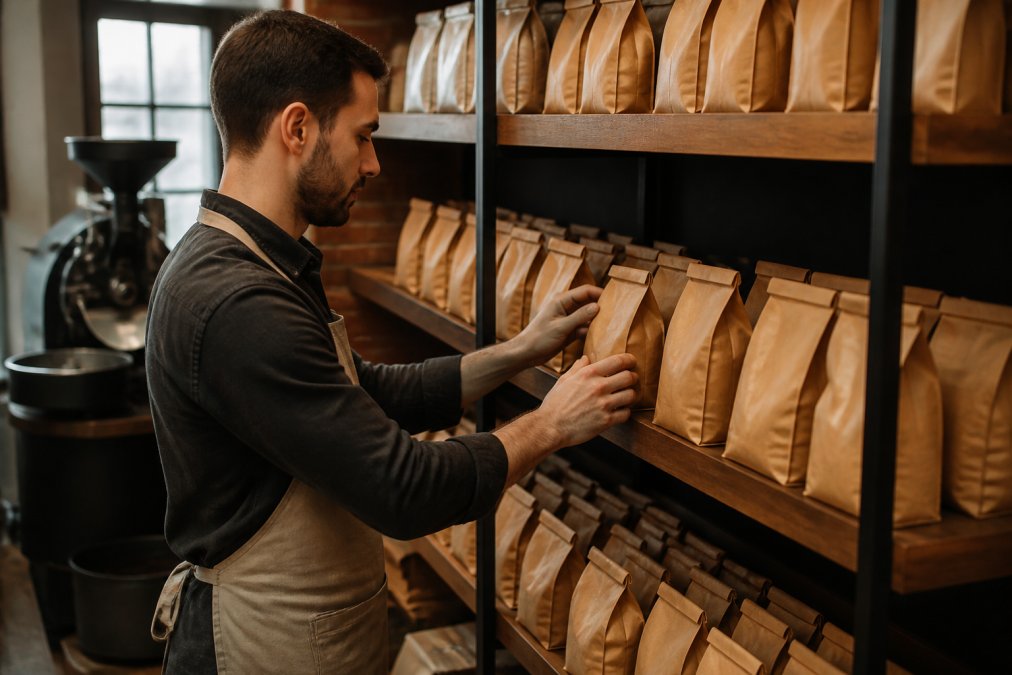
Here's how to run it:
- Date every bag the day it arrives or the day it's roasted
- Load new stock behind old stock, never in front
- Pull from the front of the shelf for every order
- Do a quick shelf check each morning
Managing Green Beans vs. Roasted Batches
Green beans and roasted batches behave nothing alike, so they need separate rules.
Track them separately:
- Green beans: by origin, arrival date, and weight
- Roasted batches: by roast date, roast profile, and batch size
Step 3: Track Batch Sizes and Roast Profiles
Every roast should produce a record, not just a batch. Log the green weight in, the roasted weight out, the roast profile used, and the date.
Keep these fields for every batch:
- Green weight in and roasted weight out
- Roast profile name and development time
- Roast date and batch number
- Destination: retail bag, wholesale order, or cafe use
Step 4: Calculate Coffee Bean Waste and Shrinkage
To calculate coffee bean waste, use this formula:
Shrinkage % = (Expected stock − Actual stock) ÷ Expected stock × 100
Track shrinkage by category:
- Roast loss (expected, tied to your roast profile)
- Spillage and prep waste (reducible)
- Stale or expired product (a FIFO failure)
- Unexplained loss (investigate)
Step 5: Set Reorder Points and Optimize Purchase Volume
Use this formula:
Reorder point = (Daily usage × Lead time in days) + Safety stock
Step 6: Choose Coffee Inventory Management Software
Coffee inventory management software tracks stock, sales, and usage in one place, and it's worth the switch once manual counting eats real time each week.
Look for these features:
- Real-time stock levels across locations
- Bill of materials built in
- Low-stock alerts tied to reorder points
- Batch and roast date tracking
- Reporting on shrinkage and turnover
POS Integration: How It Actually Works
POS integration changes everything, but most guides stop at "sync your systems" without explaining the mechanism.
- Item IDs match. The drink name in the POS must map to the exact recipe in your bill of materials. A "large latte" and a "16oz latte" are two different items unless you reconcile them.
- Modifiers are tracked. Oat milk, an extra shot, a decaf swap, each one changes bean or milk usage. If your POS doesn't pass modifiers through, your counts drift.
- Sync runs on a schedule. Real-time is ideal, but a nightly batch sync is workable if you reconcile the next morning.
Physical Audit Workflows and Cycle Counting
Physical audits matter as much as automation, because software only knows what it's told. Cycle counting means counting a small group of items on a set schedule instead of one giant yearly count.
A workable cycle count schedule for a cafe:
| Frequency | What to Count | Why |
|---|---|---|
| Daily | Espresso hopper and decaf hopper | Highest-volume items; drift shows up fast |
| Weekly | Retail bag shelf, all roasts | Theft and misplacement show here first |
| Biweekly | Green bean storage by origin | Catches receiving errors and roast loss trends |
| Monthly | Full inventory, all categories | Reconciles everything against the system |
Keep a simple audit sheet with these columns:
| Item | Expected Count | Actual Count | Difference | Action |
|---|---|---|---|---|
| Espresso blend | 42 lb | 40 lb | -2 lb | Check grinder settings |
| Retail bags, medium roast | 60 | 58 | -2 | Recount shelf |
| Decaf | 15 lb | 15 lb | 0 | None |
Step 7: Prevent Loss and Plan for Seasonal Demand
Loss prevention starts with visibility. If you can't see where beans go, you can't stop them from disappearing. Most guides treat theft and waste as one bucket; separating them is the fastest way to fix both.
Separating Waste from Theft
Waste is beans that leave through a documented process: a botched shot, a spilled hopper, a batch roasted past profile, a bag that went stale. Theft is beans that leave without a record.
- Waste shows up in spikes. A new barista over-dosing, a grinder that needs recalibration, a roast profile that's losing more weight than usual, each one produces a short-term bump that resolves when you fix the cause.
- Theft shows up as a steady drip. Two pounds a week, every week, in the same category. It rarely spikes because the person taking it is careful not to.
Simple habits that work:
- Keep green beans and finished goods in separate, locked storage
- Assign one person to receive and log every delivery
- Weigh bags at receiving, not later
- Review shrinkage reports monthly and name the cause for every line
- Rotate who counts which category so no one person controls both the stock and the record
Forecasting for Seasonal Demand
Seasonal demand is the other half of this step, and most guides stop at "order more in December." That's not a forecast, a forecast is a number tied to a date.
- Weather-driven shifts. Iced drink season changes your usage mix. Cold brew and iced latte sales climb in warm months, which means your green bean purchasing for those blends needs to front-load two to three months ahead of the shift, not react to it.
- Holiday spikes. Retail bag sales typically climb from late November through mid-December, and gift box orders concentrate in the first two weeks of December. Wholesale accounts often place their holiday orders even earlier.
- Local events. Farmers markets, festivals, and university calendars move foot traffic in ways that don't show up in national trends. Note them on your own calendar.
Frequently Asked Questions
What is the best inventory costing method for coffee roasters?
FIFO (first-in, first-out) works best for most coffee roasters. Green beans and roasted batches lose freshness over time, so you want to use older stock first. FIFO also gives you a more accurate cost of goods sold because your inventory valuation reflects the actual cost of beans you purchased earliest. Pair FIFO with batch tracking so you can trace every roasted batch back to its origin and roast date.
How do I calculate coffee bean waste during roasting?
Weigh your green beans before roasting, then weigh the roasted beans after cooling. The difference is your roast loss, which typically ranges from 12% to 20% depending on roast profile. Divide the lost weight by the starting green weight to get your waste percentage. Track this per batch so you can spot unusual shrinkage and adjust roasting capacity or production planning.
How much coffee bean inventory should a coffee shop keep on hand?
It depends on your consumption rate and lead time. A common approach is to hold enough green beans to cover your lead time plus a safety buffer, often two to four weeks for green coffee. Roasted beans should move faster, ideally within seven to fourteen days of the roast date. Set a reorder point that accounts for supplier lead time, seasonal demand swings, and your roasting capacity.
Can I manage coffee inventory with a spreadsheet instead of software?
Yes, a spreadsheet works for very small operations with limited SKUs. But once you carry multiple origins, roast profiles, and finished goods, spreadsheets become error-prone and hard to reconcile. Coffee inventory management software automates batch tracking, reorder alerts, and cost of goods sold calculations. Many systems also integrate with POS platforms, which reduces manual data entry and gives you supply chain visibility in one place.
Managing coffee bean inventory comes down to discipline, not equipment. Count often, rotate stock without exceptions, and let your numbers tell you when to buy. Crystal Coast Coffee Co. makes the supply side easier with coffee roasted to order, careful sourcing from trusted farms, and fast, reliable delivery, so every bag arrives fresh and every batch starts strong. Explore the collection and taste the coastal soul in your next brew.