

How to Pause a Coffee Subscription Easily in 2026
Table of Contents
- Why Pausing Beats Canceling for Most Coffee Drinkers
- How to Pause a Coffee Subscription Easily: Step-by-Step
- Coffee Subscription Pause vs Cancel: Which One Fits Your Situation?
- How to Skip a Coffee Delivery Without Pausing Your Plan
- Deadline Windows and Charge Dates: Timing Your Pause Right
- Coffee Subscription Cancellation Policy: What to Check Before You Commit
- Mobile App vs Browser: Where Pausing Actually Works
- Resuming Your Subscription and Troubleshooting Common Issues
- Frequently Asked Questions
Last Updated: September 13, 2026
Why Pausing Beats Canceling for Most Coffee Drinkers
Most coffee drinkers who cancel a subscription don't actually want to quit. They want a break. Maybe you're traveling for three weeks, maybe your pantry is overflowing, or maybe you just need to slow the delivery cadence while you work through what you have. Canceling forces you to start over later, often losing your grandfathered rate, your roast preferences, and your delivery schedule.
A pause option solves all of that. It keeps your account active, preserves your settings, and stops shipments until you're ready. The sections below show you how to pause a coffee subscription easily, regardless of which platform your roaster uses.
How to Pause a Coffee Subscription Easily: Step-by-Step
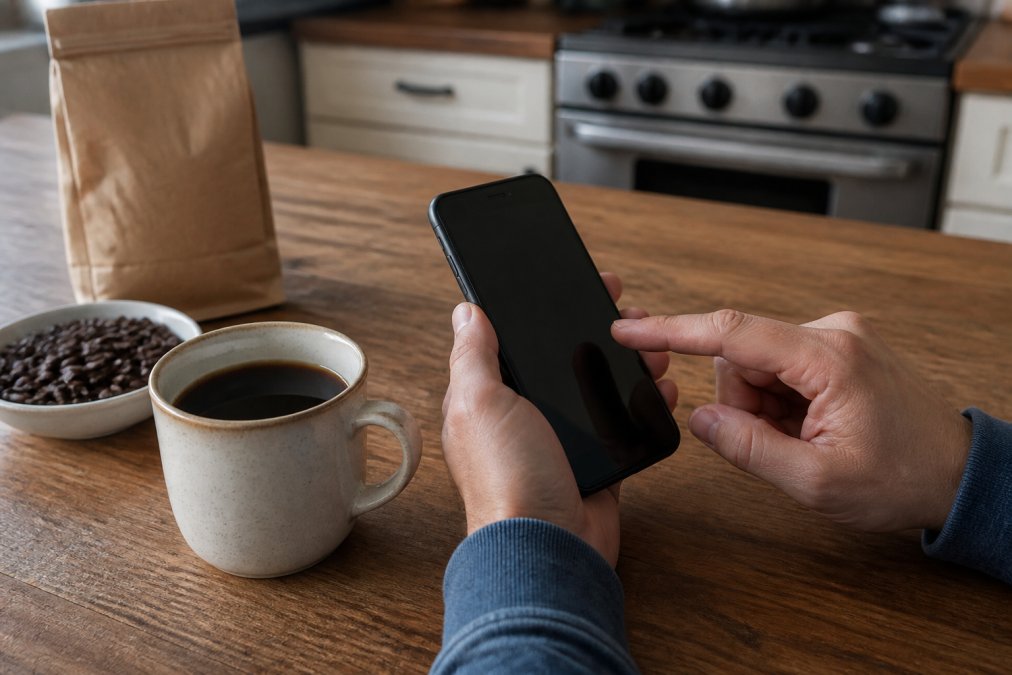
The process takes about two minutes on most platforms, and the steps are nearly identical whether you're on a laptop or a phone (the FTC). You need your login credentials, a browser or app, and a clear idea of how long you want the pause to last. Here's the full sequence.
Step 1: Log In to Your Customer Portal
Open your roaster's website and sign in with your account credentials. Look for a "Sign In" or "Account" link, usually in the top-right corner of the homepage. If you've forgotten your password, use the reset link rather than creating a duplicate account, because a second account won't have your order history or your current subscription attached to it.
Step 2: Find Your Subscription Settings and Pause Option
Once inside your account dashboard, navigate to the subscription management area. Common labels include "My Subscriptions," "Manage Subscription," or "Delivery Settings." Your active plan will show its status, next charge date, and delivery frequency. Look for a "Pause" button, often placed next to "Skip" and "Cancel." If you only see "Skip," your platform may handle pauses differently, which we cover below.
Step 3: Choose Your Pause Duration and Confirm
Select how long you want shipments held. Most platforms offer preset windows like one month, two months, or three months, and some allow an open-ended pause. Confirm your selection and watch for an on-screen message or email confirming the change. If no confirmation appears, the pause didn't register. Take a screenshot of the confirmation page just in case.
Coffee Subscription Pause vs Cancel: Which One Fits Your Situation?
Pausing keeps your subscription record and its settings intact while temporarily stopping deliveries. Canceling ends the subscription entirely, which means you'll need to rebuild your preferences, and you may lose any loyalty pricing tied to your original signup. For a short break, pausing wins almost every time.
But the real difference between the two isn't the outcome, it's the mechanism, and that's where most guides stay vague. Here's what actually happens on the back end.
Pause behavior: automated vs. manual. Platforms handle the end of a pause in one of two ways. An automated pause has a fixed end date: when the window closes, the system restarts deliveries on your original schedule without any action from you. A manual pause stays open indefinitely until you log in and resume it yourself. Neither is better, they just require different habits. If you choose an automated pause, you own the calendar reminder. If you choose a manual pause, you own the resume step, and nothing ships until you do.
What a pause actually preserves. On most platforms, a pause holds your roast selection, grind preference, bag size, delivery frequency, and grandfathered rate. What it does not preserve is your place in a limited-release queue. If your roaster sells seasonal or single-origin drops that are allocated by subscription order, a pause can drop you to the back of that line when you resume. Check the subscription terms for language about "allocations" or "limited releases" before you pause during a drop you care about.
What a cancel actually costs you. Beyond losing your rate, canceling usually deletes your saved payment method and shipping address from the subscription record (consumer.ftc.gov). That's a small thing until you resubscribe and have to re-enter everything, and until you discover the welcome discount you originally used is a one-time offer that won't apply again.
When cancel genuinely wins. Cancel is the right call when the roaster's pause policy is more restrictive than canceling and resubscribing. Watch for three specific clauses: a cap on how many pauses you get per year, a minimum pause duration (some platforms won't let you pause for less than a full billing cycle), and a reactivation fee. If any of those apply and you're done for the foreseeable future, canceling is cleaner.
The middle path most people miss. If you're only overstocked for one cycle, you don't need either option, skip the single shipment and leave the subscription running. That keeps your rate, your queue position, and your billing cycle untouched. The decision tree is simple: one cycle overstocked, skip; a defined break of a month or more, pause; done with the service, cancel.
How to Skip a Coffee Delivery Without Pausing Your Plan
Skipping is the lighter version of pausing: it bypasses a single shipment while your subscription stays fully active. You'll find the skip shipment option in the same subscription settings area, usually as a button on each upcoming order in your order history. Select the delivery you want to bypass and confirm.
This works well when you're only overstocked for one cycle. Your billing cycle continues uninterrupted, your next charge date stays the same, and the following shipment arrives on schedule. The main limitation is that skip windows are usually shorter than pause windows. Many platforms lock a shipment once it enters processing, so skip as early as you can.
| Action | What It Does | Best For | Typical Window |
|---|---|---|---|
| Skip shipment | Bypasses one delivery | One-cycle overstock | Until order processing begins |
| Pause subscription | Holds all deliveries | Travel, budget, long breaks | Varies by platform |
| Cancel subscription | Ends the plan | Permanent stop | Anytime before next charge |
Deadline Windows and Charge Dates: Timing Your Pause Right
Your pause must be submitted before your next charge date, and the cutoff is often earlier than you'd expect. Many platforms process orders several days ahead of the billing date, so a pause submitted the day before a charge may arrive too late to stop it. Check the order status of your next shipment: if it says "Processing" or "Preparing," you've likely missed the window.
The safest approach is to pause as soon as you know you'll need a break. If a charge does slip through, contact customer support immediately. Many roasters will intercept a shipment that hasn't left the warehouse, and a quick email often resolves it. If the order has already shipped, you may still be able to pause future deliveries so the problem doesn't repeat next month.
Coffee Subscription Cancellation Policy: What to Check Before You Commit
Read the cancellation and pause policy before you sign up, not when you're trying to leave. The details that matter most are the pause limits, the notice period required before a charge, and whether reactivation resets your pricing. A policy that looks generous on the signup page can be surprisingly restrictive when you actually need flexibility.
Most guides stop there. The problem is that "check the policy" is useless advice if you don't know which clauses to look for. Here are the specific terms to search for in the subscription agreement, and what each one actually controls.
The cutoff window, not the charge date. The single most important number in any coffee subscription is the cutoff, the point before your next charge date when the order locks. It is almost never the same as the charge date. A common pattern is a 48-to-72-hour processing window, which means a pause submitted the day before a charge can arrive too late (the FTC). Find the exact cutoff language in the policy, then set your own reminder for two days earlier than that.
Pause caps and minimum durations. Look for phrases like "pause up to X times per year" or "minimum pause duration of one billing cycle." A cap means you can't treat pause as an unlimited skip button. A minimum duration means a two-week pause may not be an option at all, you'd be forced into a full cycle.
Reactivation terms. Two clauses matter here: whether your rate is locked after you resume, and whether resuming triggers an immediate charge or waits for the next scheduled cycle. The difference is a surprise charge versus a predictable one.
What a confirmation actually looks like. This is the gap almost every competitor misses. After you submit a pause, you should receive an email confirmation, not just an on-screen message. The email typically states the pause start date, the resume date (or "indefinite" for a manual pause), and your next scheduled charge after resuming. If you don't get that email within a few minutes, treat the pause as unconfirmed and check your account again. An on-screen success message alone is not proof; the email is the record.
Where to find the policy. It's usually linked in the footer as "Subscription Terms," "Recurring Billing Policy," or "Terms of Service," and sometimes duplicated in the FAQ. If the policy is silent on cutoff windows or pause caps, that silence is itself information, it means the roaster hasn't committed to a rule, and support has discretion. Ask in writing before you commit, and keep the reply.
Three things to verify in any subscription agreement:
- The exact cutoff time before a charge date (not the charge date itself)
- How many times per year you can pause or skip, and any minimum pause duration
- Whether your rate is locked after you resume, and whether resuming triggers an immediate charge
If a policy is vague about any of these, ask customer support in writing before you commit. A roaster that answers clearly is a roaster that respects your time.
Mobile App vs Browser: Where Pausing Actually Works
Browser access is the more reliable route on most platforms. The full account dashboard typically lives on the website, and every pause, skip, and frequency adjustment is available there. Mobile apps often carry a trimmed version of subscription management, and some apps route you back to the browser for anything beyond a basic skip.
That said, a well-built app can be faster for quick changes. Test both once, while nothing is urgent, so you know which one actually exposes the pause option on your account. If the app doesn't show it, don't assume the feature is missing. Log in through a browser and check the full customer portal before you contact support.
Resuming Your Subscription and Troubleshooting Common Issues
Resuming is usually automatic. When your pause window ends, the platform restarts deliveries on your original schedule, and you'll get an email notification confirming the reactivation. If you want to resume early, log back into your account, open your subscription details, and look for a "Resume Subscription" button.
When things go wrong, the cause is almost always one of four issues:
- Login problems. Reset your password through the official link. If that fails, your account email may differ from the one you remember.
- Pause didn't save. Check for a confirmation email. No email means no pause.
- Pending orders. An order already in processing will still ship, even during a pause. Contact support to see if it can be intercepted.
- Wrong charge date. Update your payment method and billing cycle settings in the customer portal.
If none of that resolves it, contact customer support with your order number and a screenshot of the issue. Most roasters respond within a business day.
Frequently Asked Questions
Is it better to pause or cancel a coffee subscription?
Pausing keeps your account profile, shipping address, and payment method on file, so you can resume without re-entering anything. Canceling closes the account entirely and may require you to re-subscribe from scratch. If you plan to return within a few weeks or months, pausing a coffee subscription is almost always the simpler choice. Cancel only when you want to stop auto-delivery permanently or switch to a different roaster.
How far in advance do I need to pause my coffee delivery?
Most subscription platforms process orders 24 to 72 hours before the charge date. If you try to pause inside that window, the next recurring shipment may already be locked in. Check your account dashboard for the next billing cycle date and pause at least three days ahead. Some services let you pause up to a specific cutoff shown in your subscription details, so read that line carefully before confirming.
Does pausing a subscription automatically stop future billing?
Yes, a true pause stops automatic renewal for the paused period. No charges hit your payment method while the subscription is inactive. The catch: if you set a resume date, billing restarts automatically on that date unless you extend the pause. If you want to stay paused indefinitely, choose the open-ended pause option or set a calendar reminder to review before the resume date arrives.
Can I resume my coffee subscription at any time?
Almost every platform lets you resume from the same customer portal where you paused. Log in with your account credentials, open subscription settings, and select resume subscription. Your delivery frequency, roast preference, and shipping address stay saved. Some services let you shift the first shipment after resuming by a few days, which helps if you still have unopened bags at home.
Managing a coffee subscription shouldn't feel like a trap. At Crystal Coast Coffee Co., every plan is built for flexibility: roasted-to-order beans shipped fresh, simple ordering with fast, reliable delivery, and a subscription you can adjust whenever life changes. Whether you need to pause a coffee subscription for a month or skip a single shipment, the process stays quick and painless. Get started with Crystal Coast Coffee Co. and keep great coffee on your terms.